3D Physics Engine
Custom 3D Physics Engine
1. Project Overview
- This project demonstrates the development of a comprehensive 3D Physics Engine implemented in C++ using Win32 API and DirectX 12.
- The primary objective was to engineer a physics simulation from scratch, devoid of commercial middleware, to gain a deep understanding of rigid body dynamics, collision detection pipelines, and constraint resolution strategies common in modern game development.
- The engine features a robust Hybrid Collision Resolution system, an optimized Sweep and Prune (SAP) broad-phase, and a powerful Visual Debugging Suite designed to validate complex physical interactions.
Core Tech Stack
- Language: C++ (Modern C++17 Standards)
- Graphics/System: DirectX 12, Win32 API
- Key Algorithms: Sweep and Prune (SAP), GJK, EPA, Sequential Impulse Solver, Continuous Collision Detection (CCD).
2. Architecture & Pipeline
- The simulation executes a multi-stage pipeline designed to balance performance and accuracy:
1. Integration
- Updates linear and angular velocities along with positions based on accumulated forces, including gravity, external impulses, and user intervention.
2. Broad Phase
- Rapidly culls non-colliding pairs using axis-sorting algorithms (Sweep and Prune) to minimize the computational workload for subsequent stages.
3. Narrow Phase
- Precisely determines collision manifolds, including contact points and normals, utilizing Convex Hull algorithms (GJK/EPA) for accurate intersection testing.
4. Resolution
- Solves mechanical constraints and contact penetrations using a sequential impulse-based solver to ensure physical stability.
3. Collision Detection
3.1. Broad Phase: Optimized Sweep and Prune (SAP)
- To efficiently manage scenes with high object counts, the engine utilizes the Sweep and Prune (SAP) algorithm.
- A significant optimization implemented here is Dynamic Axis Selection.
- Instead of adhering to a fixed axis, the system evaluates the spatial variance of objects each frame and sorts them along the axis with the largest extent.
- This minimizes the number of overlapping intervals on the projection axis, significantly reducing false positives.
- Implementation Highlight:
- The implementation ensures memory safety and avoids $O(N^2)$ checks by maintaining an active list of overlapping bodies.
  void SweepAndPrune1D(const Body* bodies, const int numBodies, std::vector<collisionPair_t>& finalPairs, const float deltaSecond) {
      // Optimization: Use std::vector to prevent stack overflow in dense scenes
      std::vector<pseudoBody_t> sortedBodies(numBodies * 2);

      // 1. Calculate Bounds & Select Optimal Axis
      SortBodiesBounds(bodies, numBodies, sortedBodies.data(), deltaSecond);

      // 2. Build Collision Pairs using Active List approach (O(N + K))
      BuildPairs(finalPairs, sortedBodies.data(), numBodies);
  }

  void BuildPairs(std::vector<collisionPair_t>& collisionPairs, const pseudoBody_t* sortedBodies, const int numBodies) {
      // Note: finalPairs is cleared in the caller (BroadPhase)
      std::vector<int> activeList; // Stores IDs of currently overlapping bodies

      const int doubleNumBodies = numBodies * 2;
      for (int i = 0; i < doubleNumBodies; ++i) {
          const pseudoBody_t& targetBody = sortedBodies[i];
          int bodyId = targetBody.id;

          if (targetBody.isMin) {
              // Body enters the sweep axis: Pair with all currently active bodies
              for (int activeId : activeList) {
                  collisionPair_t pair;
                  pair.a = std::min(bodyId, activeId);
                  pair.b = std::max(bodyId, activeId);
                  collisionPairs.push_back(pair);
              }
              activeList.push_back(bodyId);
          } else {
              // Body exits the sweep axis: Remove from active list
              auto it = std::remove_if(activeList.begin(), activeList.end(),
                  [bodyId](int id) { return id == bodyId; });
              activeList.erase(it, activeList.end());
          }
      }
  }
3.2. Narrow Phase: GJK & EPA
- For precise collision detection between convex polyhedra, the engine employs the Gilbert-Johnson-Keerthi (GJK) algorithm.
- Intersection Test:
- GJK iteratively constructs a simplex inside the Configuration Space Object (CSO) to determine if it encloses the origin.
- Contact Generation:
- Upon collision, the Expanding Polytope Algorithm (EPA) is triggered to calculate the penetration depth and contact normal by expanding the simplex to the CSO boundary.
- For performance-critical primitives like spheres, specialized algebraic tests (Ray-Sphere, Sphere-Sphere) are implemented to bypass expensive GJK iterations.
4. Hybrid Collision Resolution
- The engine intelligently dispatches detected contacts to different solvers based on the collision context.
4.1. Continuous Collision Detection (CCD)
- To mitigate the “tunneling effect” where high-velocity objects pass through geometry, a Predictive Impulse Solver is implemented.
- Mechanism:
- The system calculates the Time of Impact (TOI) for dynamic objects.
- Execution:
- Contacts are sorted by TOI.
- The simulation advances to the earliest impact time ($TOI > 0$), resolves the collision, and repeats.
- This guarantees that fast-moving objects interact correctly with static environments.
4.2. Sequential Impulse Solver
- For static contacts ($TOI = 0$) and mechanical constraints (joints, resting contact), an Iterative Constraint Solver is utilized.
- This solver applies “Warm Starting”—using the previous frame’s solution as an initial guess—to ensure stability in complex stacking scenarios.
5. Visual Debugging Suite
- A significant focus of this project was the development of Runtime Inspection Tools, acknowledging that rigorous visual validation is critical for physics programming.
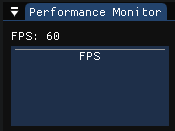
5.1. Performance Monitor
- A real-time performance graph tracks the current FPS and CPU load.
- This provides immediate feedback on the efficiency of optimization techniques during stress testing.
5.2. Interactive Object Inspector
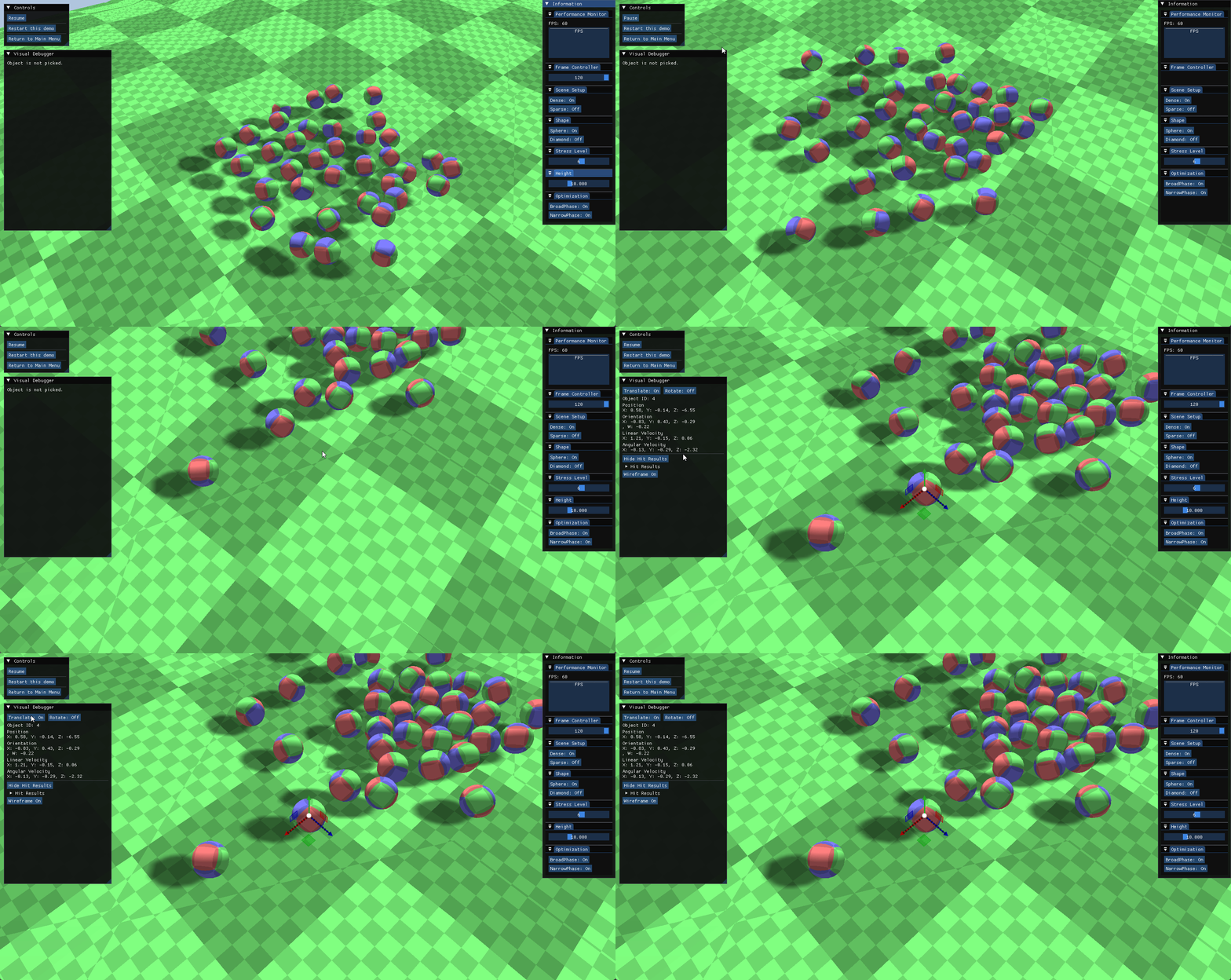
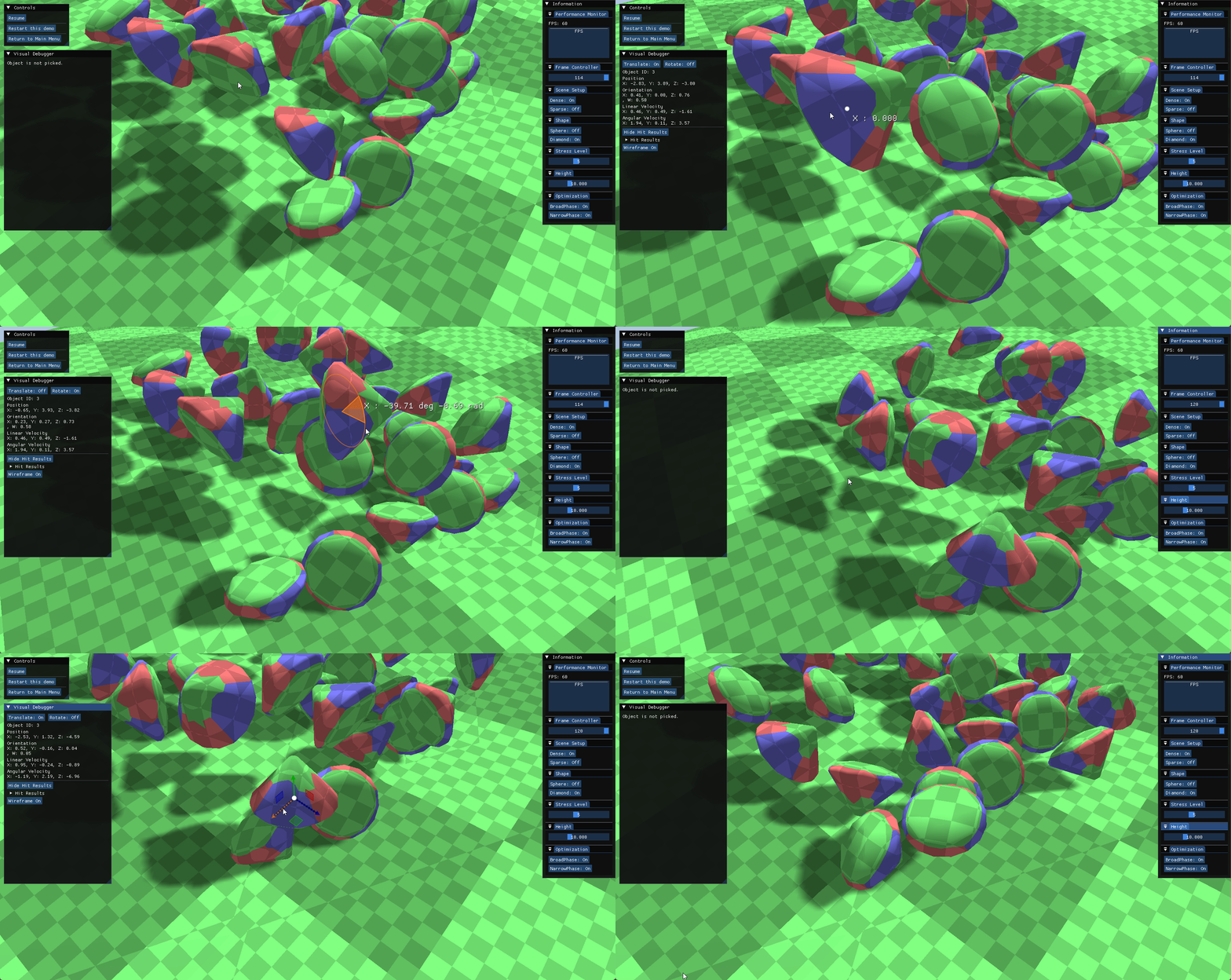
- Users can pause the simulation and select objects via mouse picking.
Property Inspector
- The inspector panel reveals real-time physical properties, including Linear/Angular Velocity, Mass, and Orientation.
Gizmo Manipulation
- Selected objects can be translated or rotated using a 3D gizmo.
- The physics state is automatically managed (velocity reset) to ensure stability after manipulation.
5.3. Deep Contact Visualization
- To verify the accuracy of the Narrow Phase and Solver, the engine offers detailed visualization modes:
Collision Metadata Visualization
- Wireframe Rendering Mode:
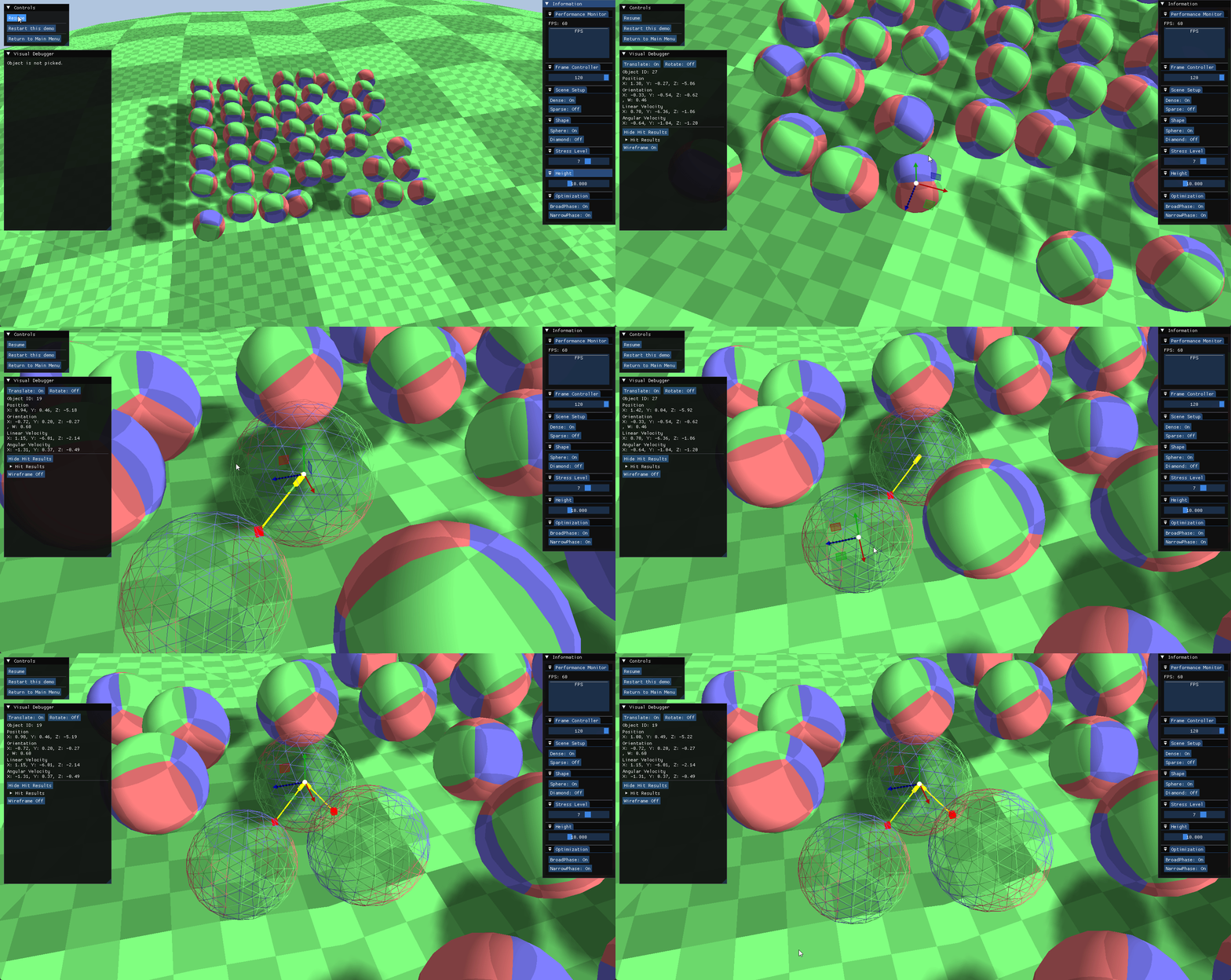
- To mitigate visual occlusion during overlap, the system supports a wireframe rendering mode for active entities and their associated collision pairs.
- This ensures the internal state of the simulation remains visible.
- Manifold & Primitive Identification:
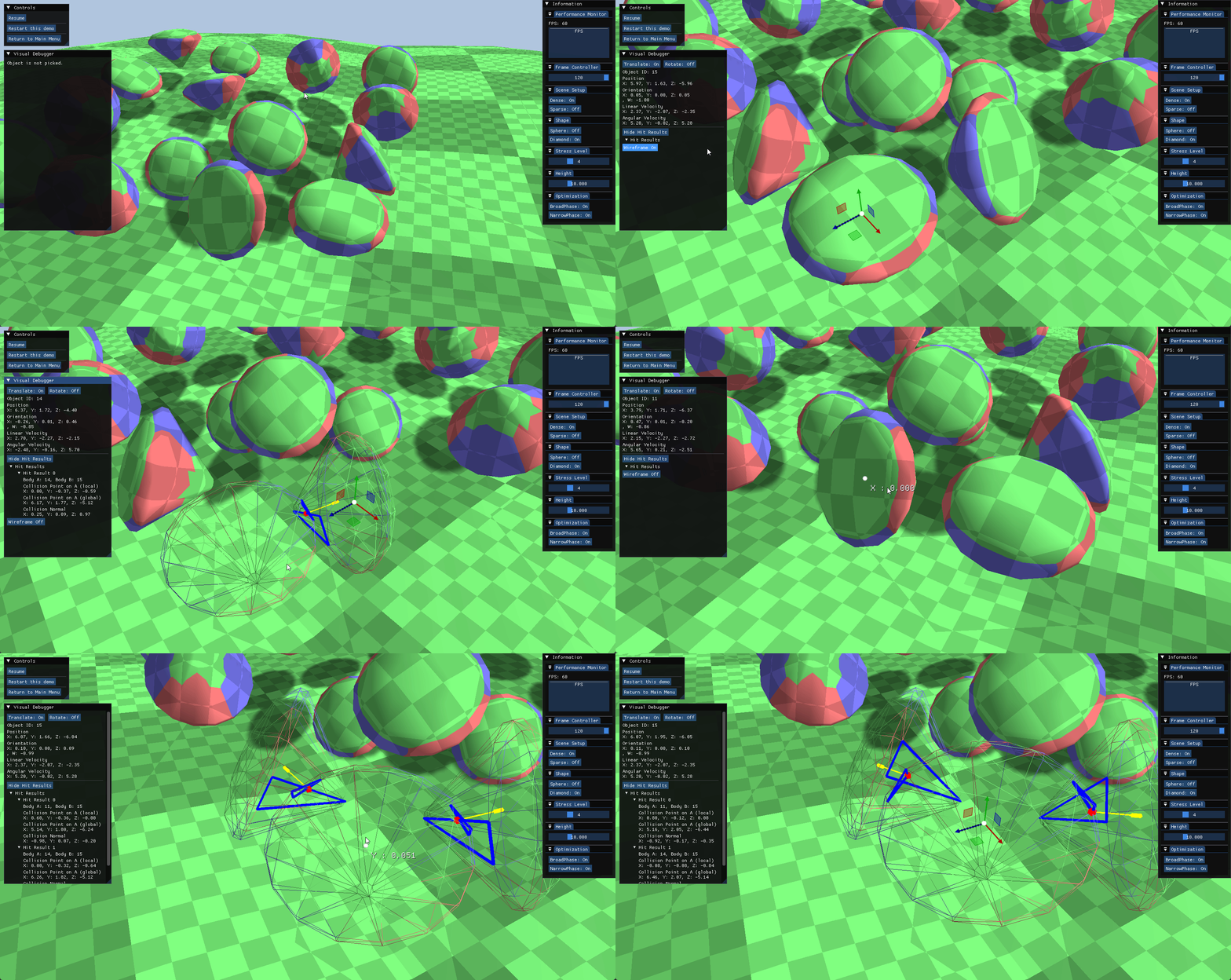
- Contact Data: Discrete contact points are rendered as red cubic markers, while the resulting collision normals are projected as yellow vectors, facilitating the empirical verification of the mathematical resolution.
- Primitive Highlighting: For polyhedral shapes, the specific geometric primitive (triangle) identified by the narrow-phase algorithm is highlighted in blue, isolating the exact surface contributing to the contact manifold.
Hit Result Tree UI
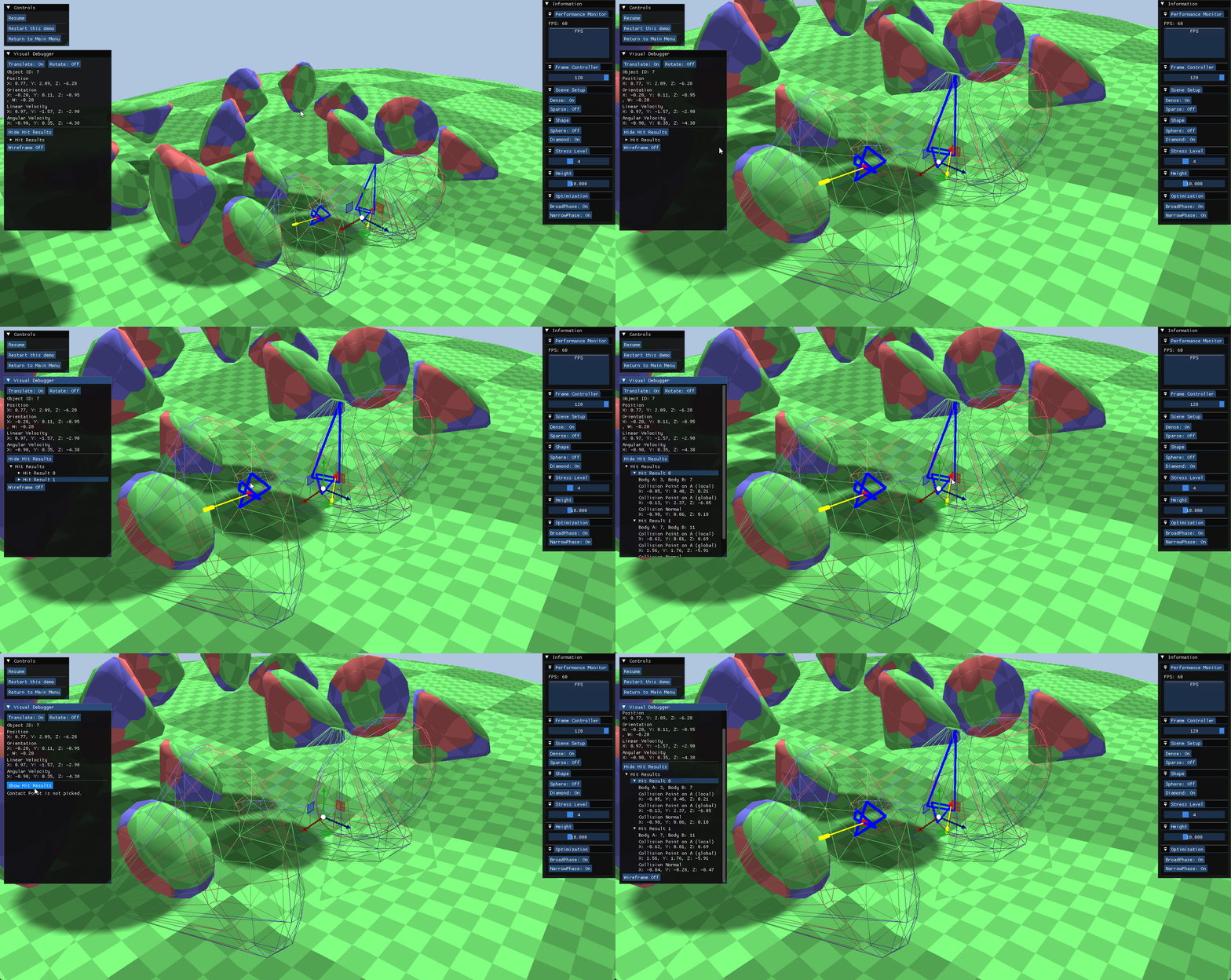
- When multiple collisions occur, a tree view UI organizes all contact pairs, allowing developers to isolate and inspect specific manifolds.
- Selecting a specific contact point automatically highlights the corresponding subtree within the hierarchy.
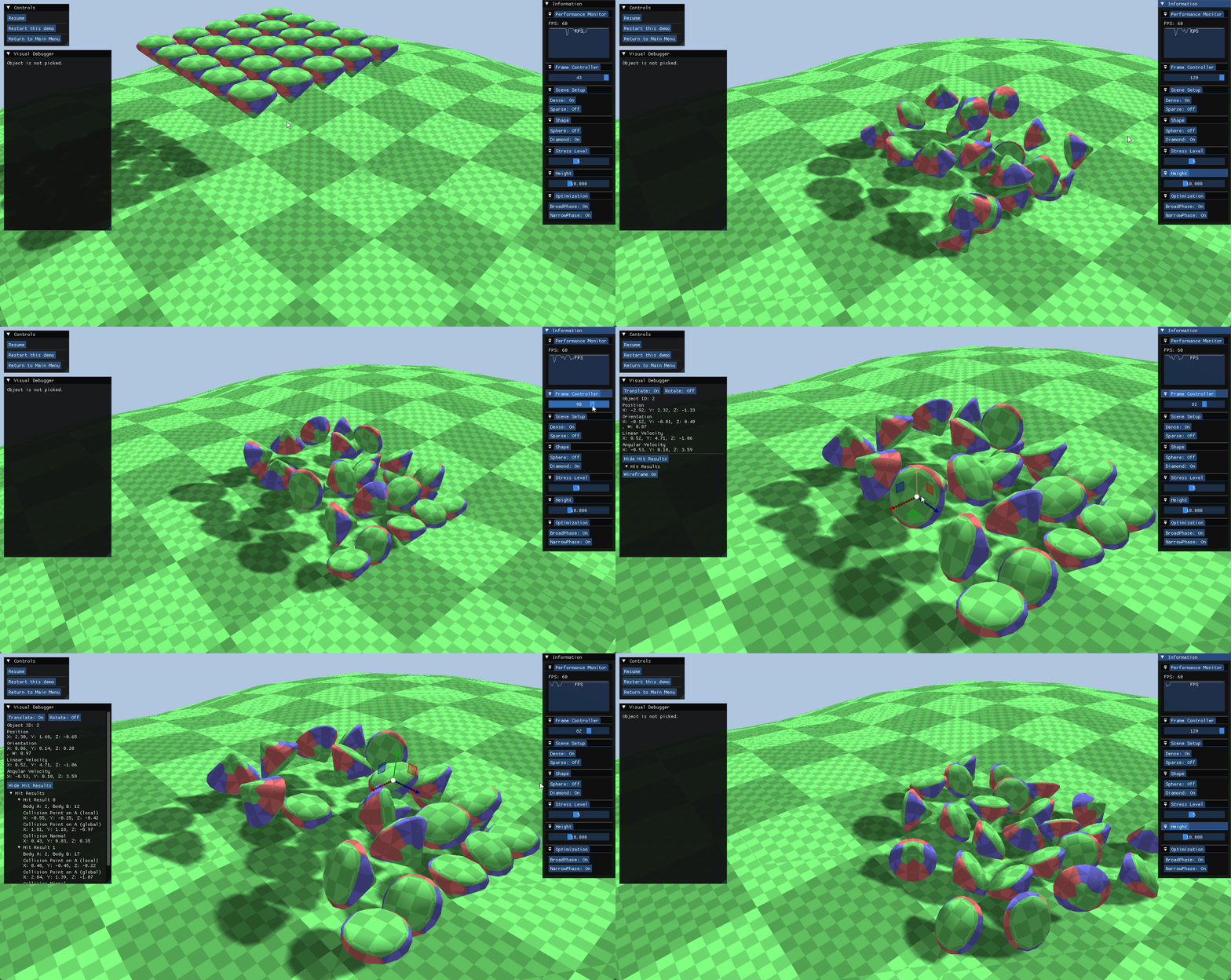
5.4. Frame-by-Frame History (Rewind/Replay)
- Circular State Buffer:
- To facilitate the analysis of high-speed collision events, a Circular History Buffer was implemented to cache the authoritative simulation state (Transform, Velocity) for the trailing 120 frames.
- Detached Execution:
- Active Physics Stepping:
- The engine supports active physics simulation starting from any restored historical frame.
- This allows developers to test collision resolution logic in a paused environment without affecting the main game loop.
- State Restoration:
- Any simulation steps performed during this rewind phase are treated as speculative data.
- Upon resuming the live session, the engine discards these changes and reloads the latest cached state, ensuring the continuity of the original gameplay timeline.
- Active Physics Stepping:
6. Stress Test & Validation
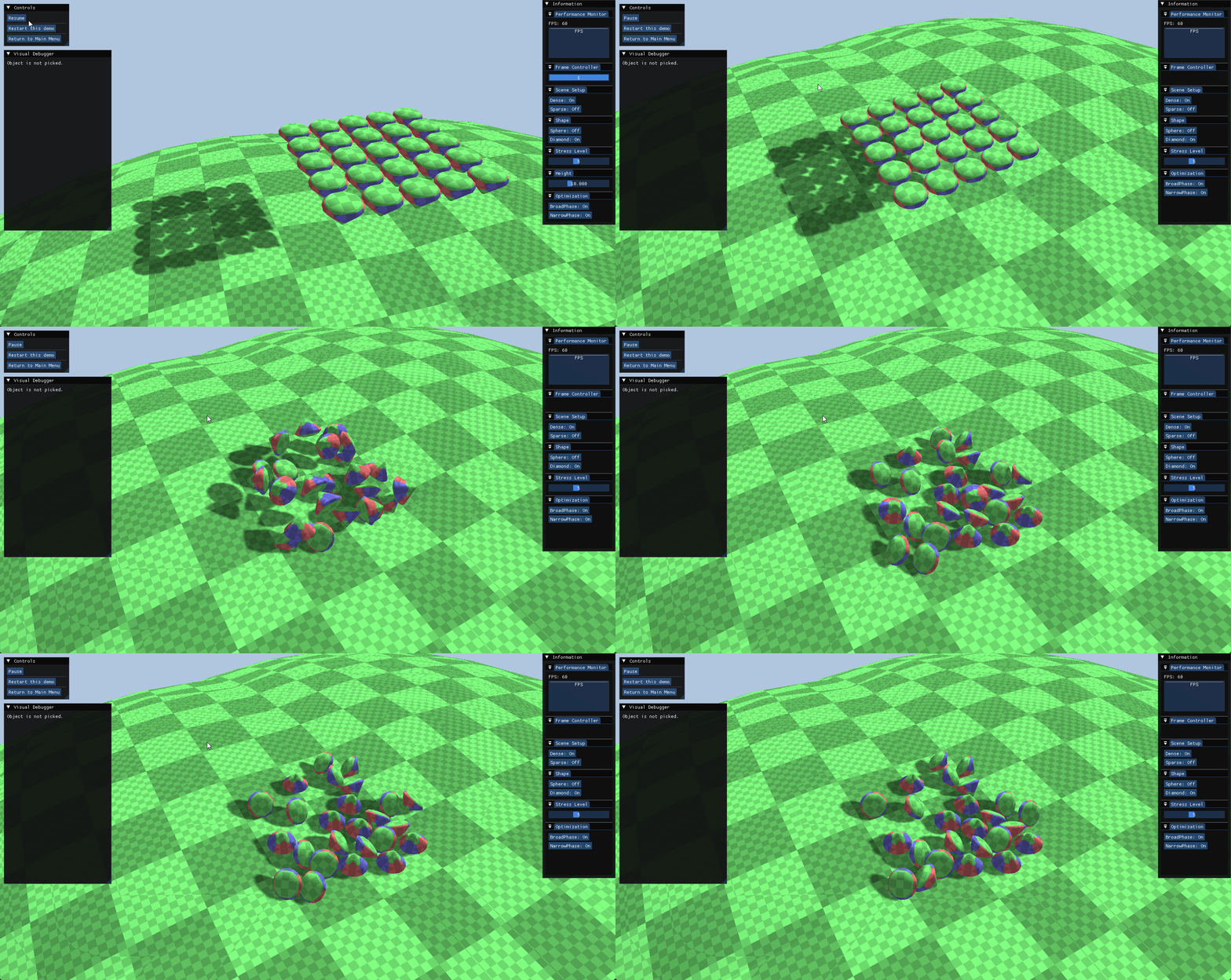
- A dedicated stress test scene was created to benchmark the engine’s performance and stability under various conditions.
6.1. Test Environment Setup
- The scene offers configurable parameters to test different subsystems:
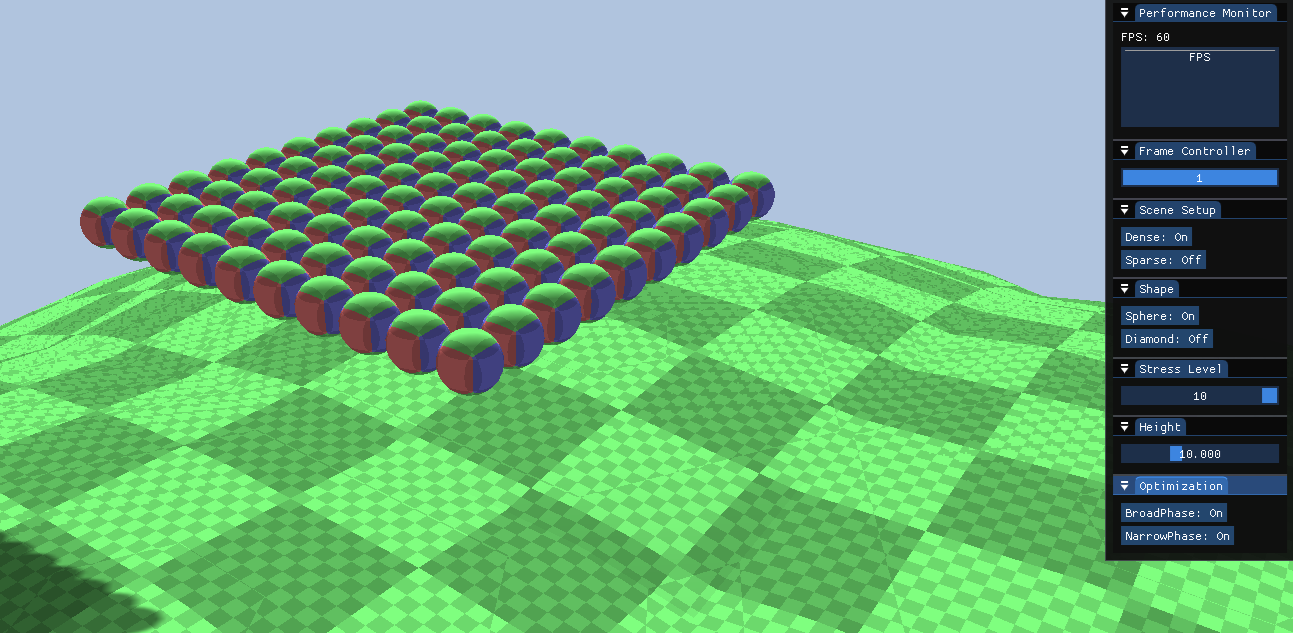
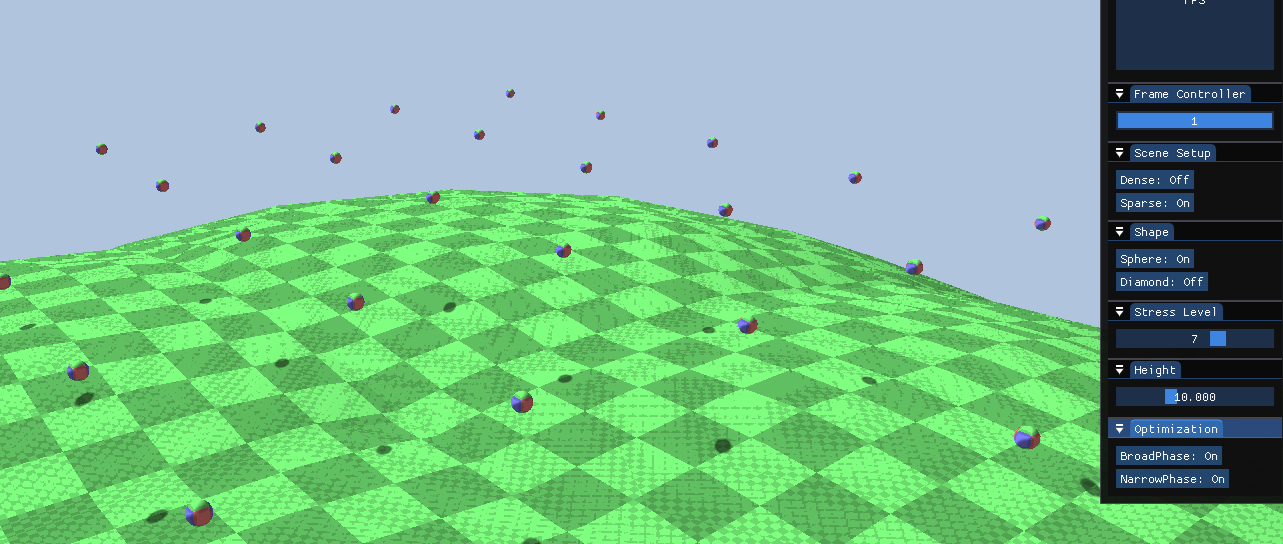
- Density (Dense vs. Sparse): Controls object spacing.
- Dense: Objects are tightly packed to rigorously test SAP overlap checks.
- Sparse: Objects are spread out to verify culling efficiency.
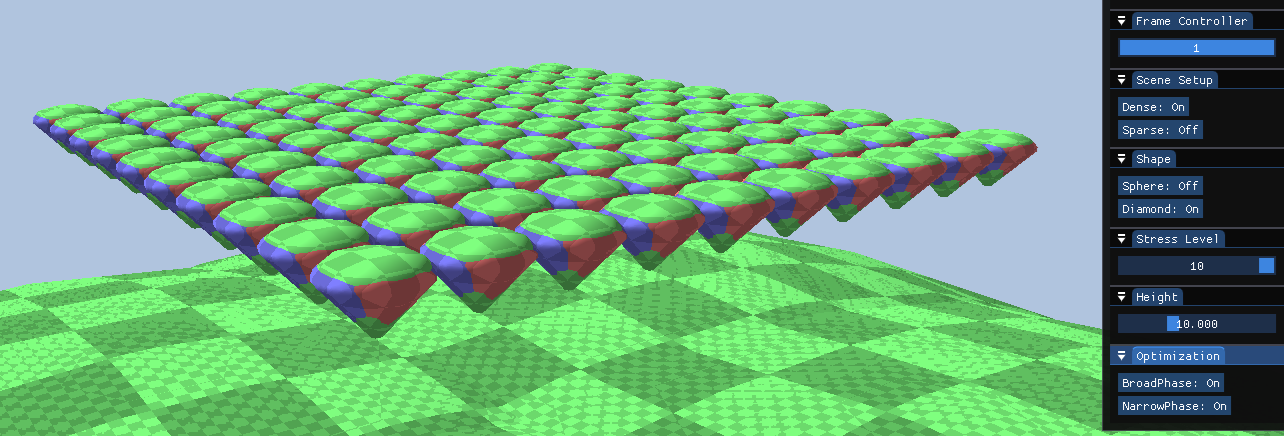
- Shape Selection:
- Sphere: Tests analytic collision algorithms.
- Diamond (Convex): Tests the performance of GJK/EPA algorithms.
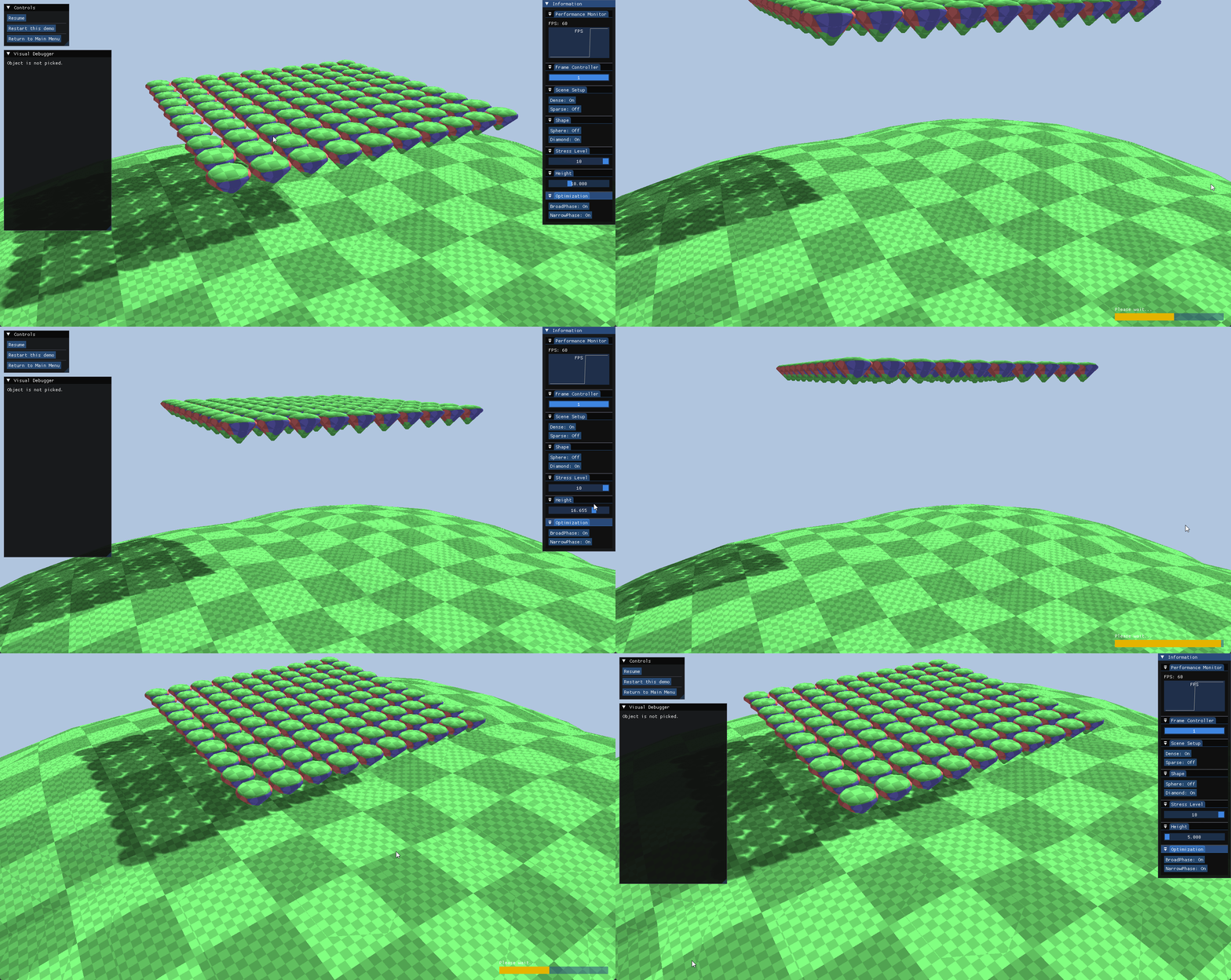
- Initial Height:
- The initial height can be modified to adjust the potential energy to test high-impact stability and stacking behavior.
6.2. Optimization Verification
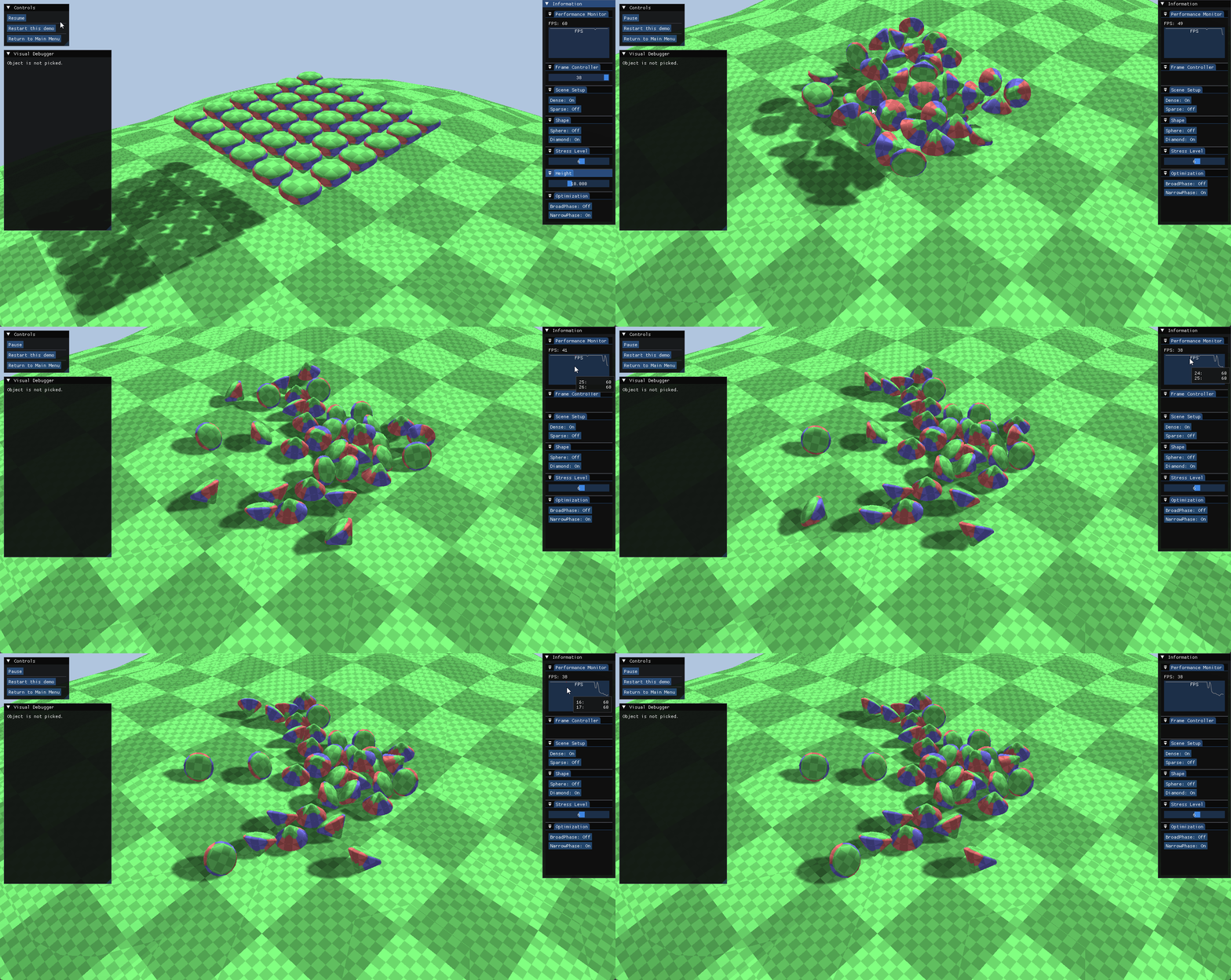
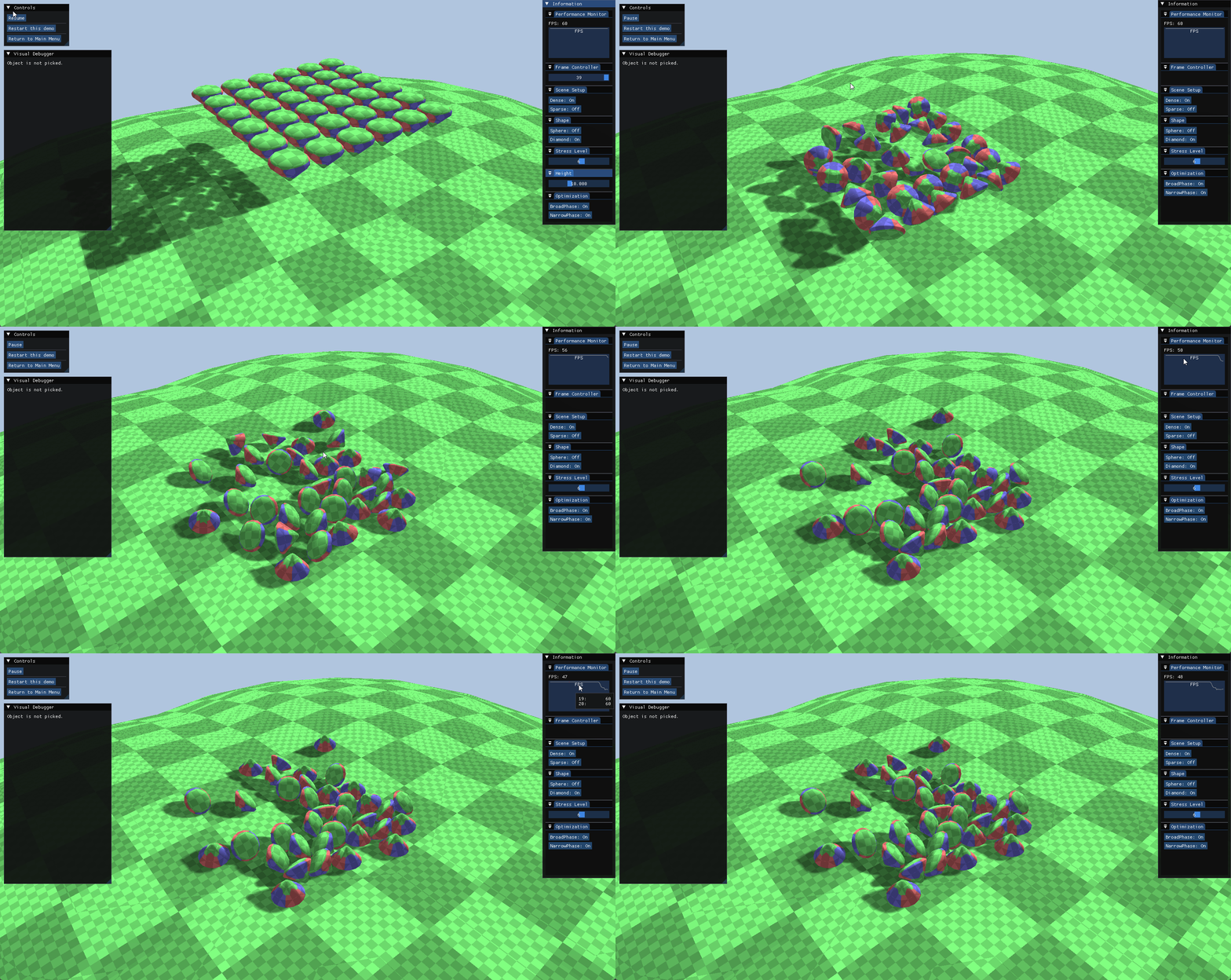
- A runtime toggle for the Broadphase Optimization allows for immediate A/B testing between the Sweep and Prune (SAP) algorithm and a brute-force baseline.
- This setup validates the algorithm’s efficiency across different spatial distributions.
Dense Scenario
- In the Dense configuration, objects are tightly clustered, resulting in a high degree of spatial overlap.
- Analysis:
- As observed in the figures above, the performance delta is minimal in the dense scenario.
- Due to the high concentration of objects, the number of potential collision pairs remains high regardless of the broadphase strategy.
- Consequently, the SAP algorithm cannot effectively cull pairs, shifting the computational load primarily to the Narrowphase.
Sparse Scenario
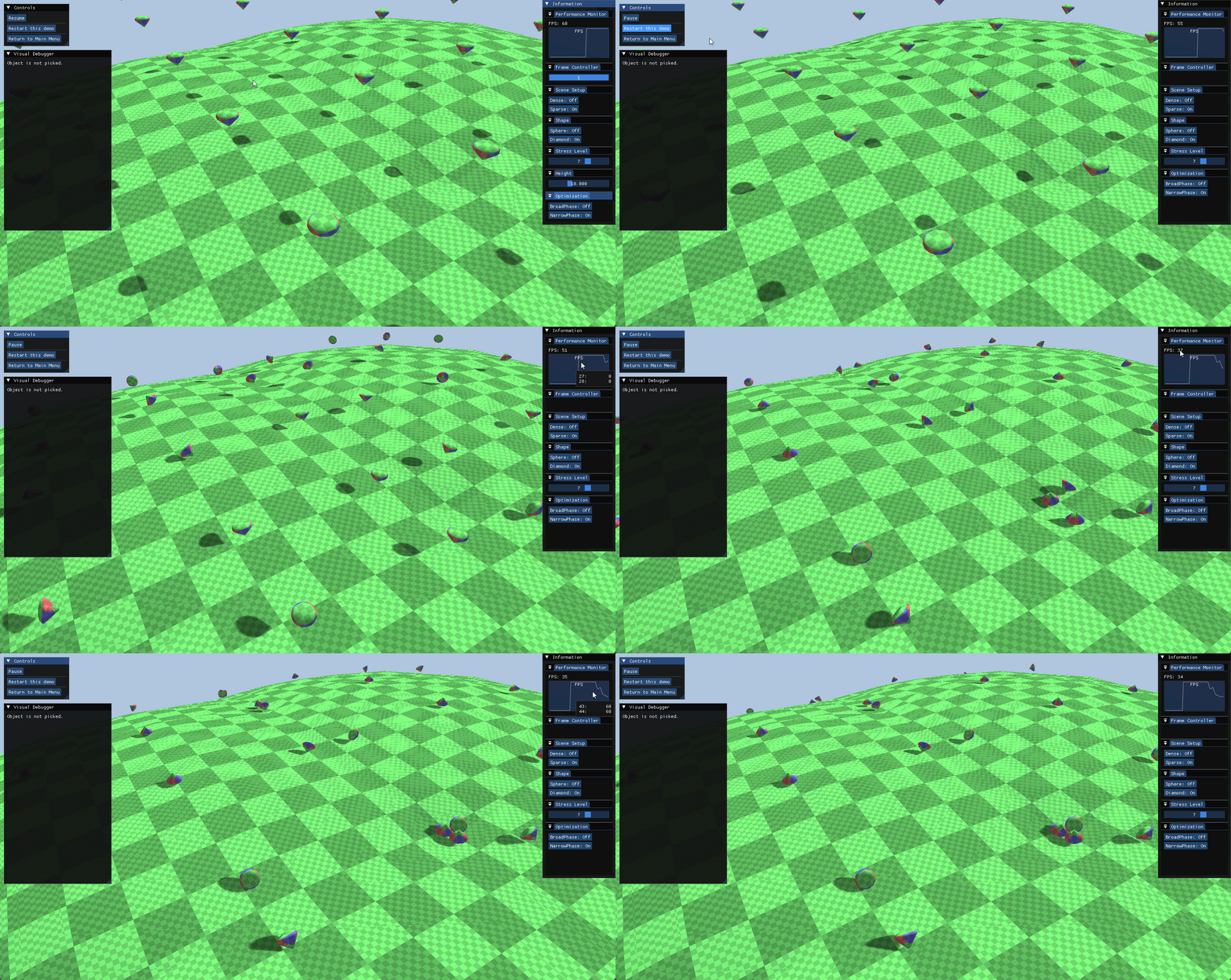
- In the Sparse configuration, objects are widely distributed across the scene.
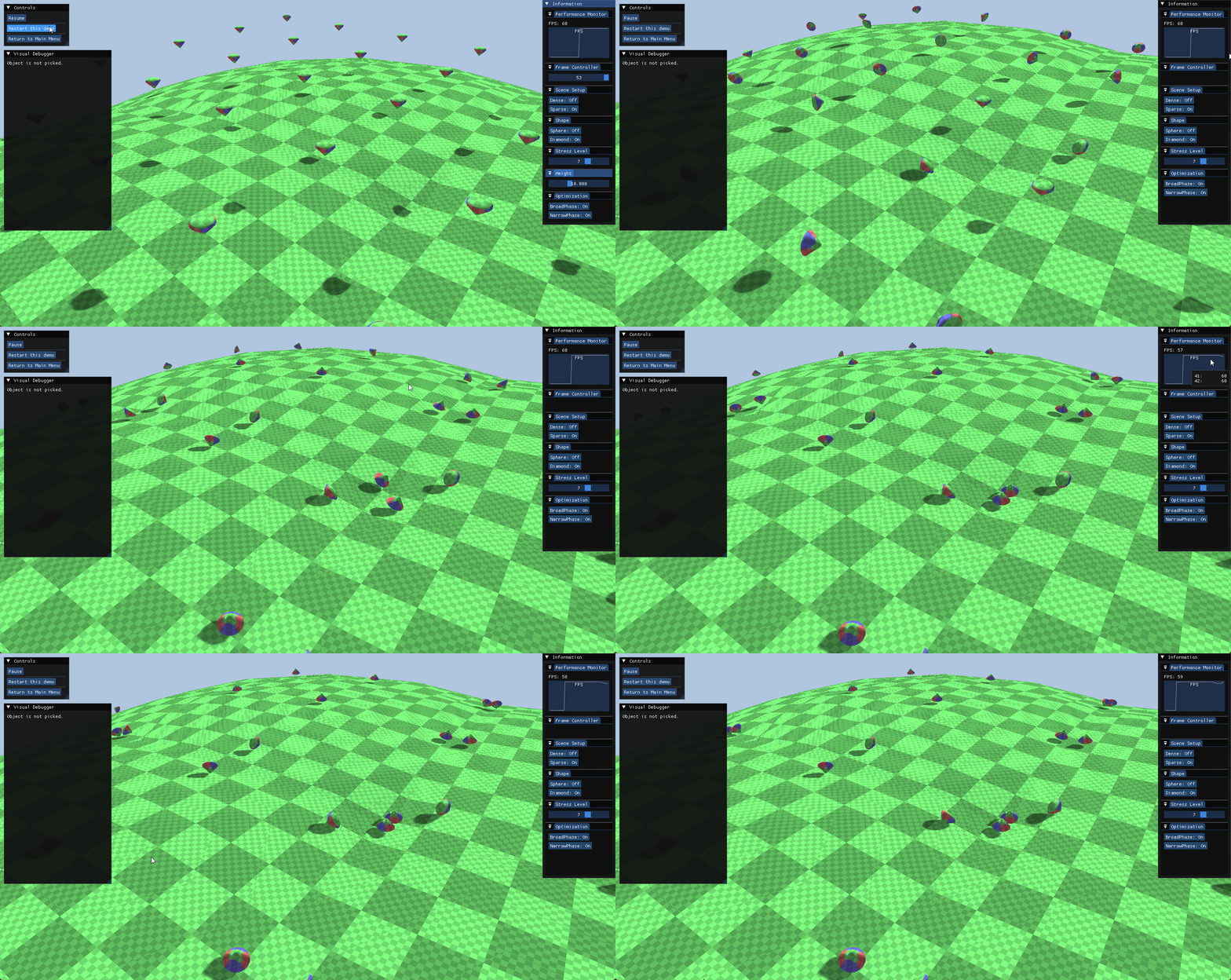
- Analysis:
- The performance gap becomes distinct in this scenario.
- The SAP algorithm effectively prunes distant, non-interacting objects, maintaining a stable framerate.
- In contrast, the brute-force approach suffers from significant performance degradation due to its complexity, wasting cycles checking collisions between objects that are far apart.
7. Sandbox Scene
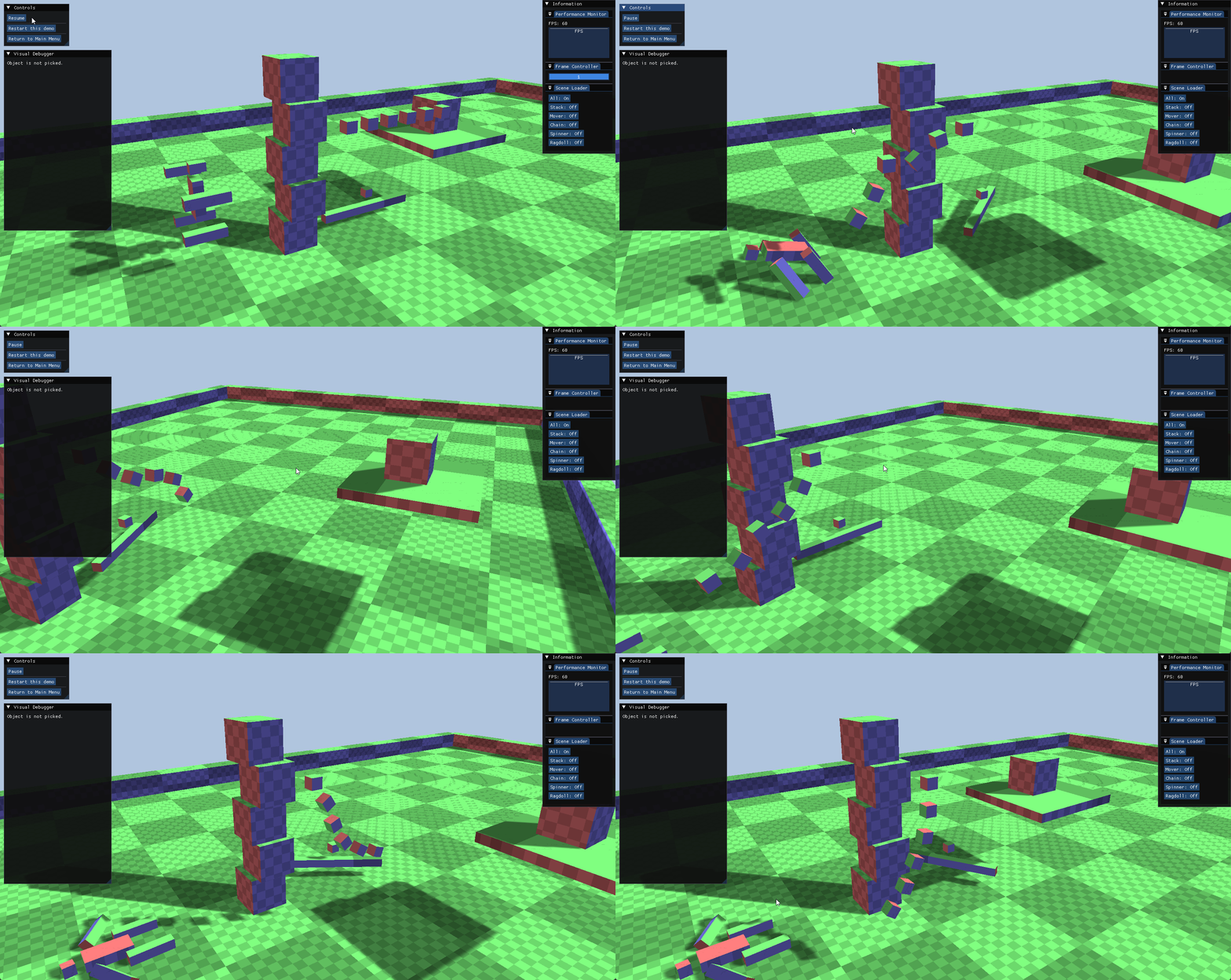
- The Sandbox scene serves as a comprehensive validation environment, showcasing typical simulation scenarios to verify the stability and versatility of the constraint solver.
7.1. Simulation Scenarios
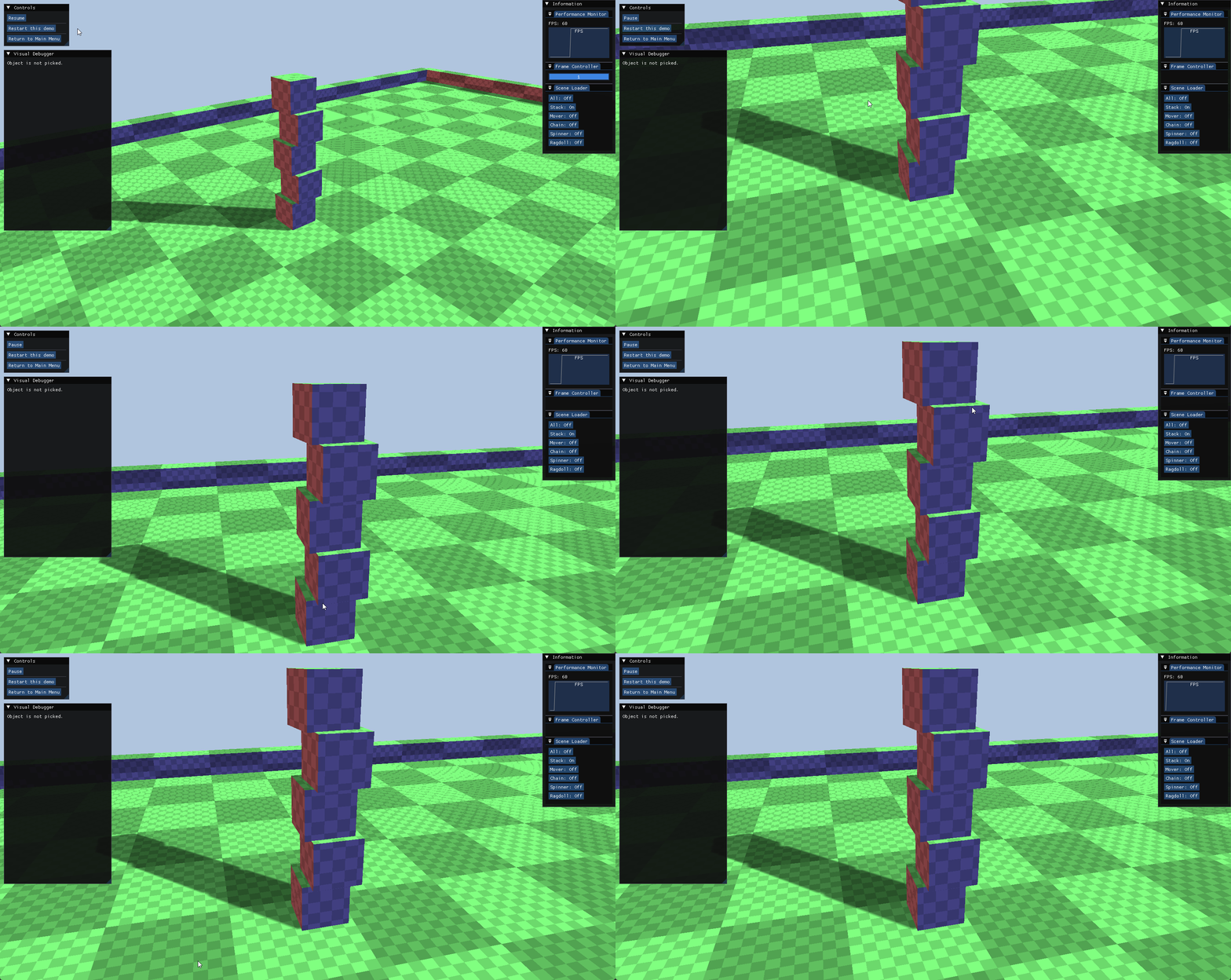
Stacked Boxes
- This validates the iterative solver’s convergence and stability.
- It specifically tests the effectiveness of “Warm Starting” in preventing jitter during vertical stacking.
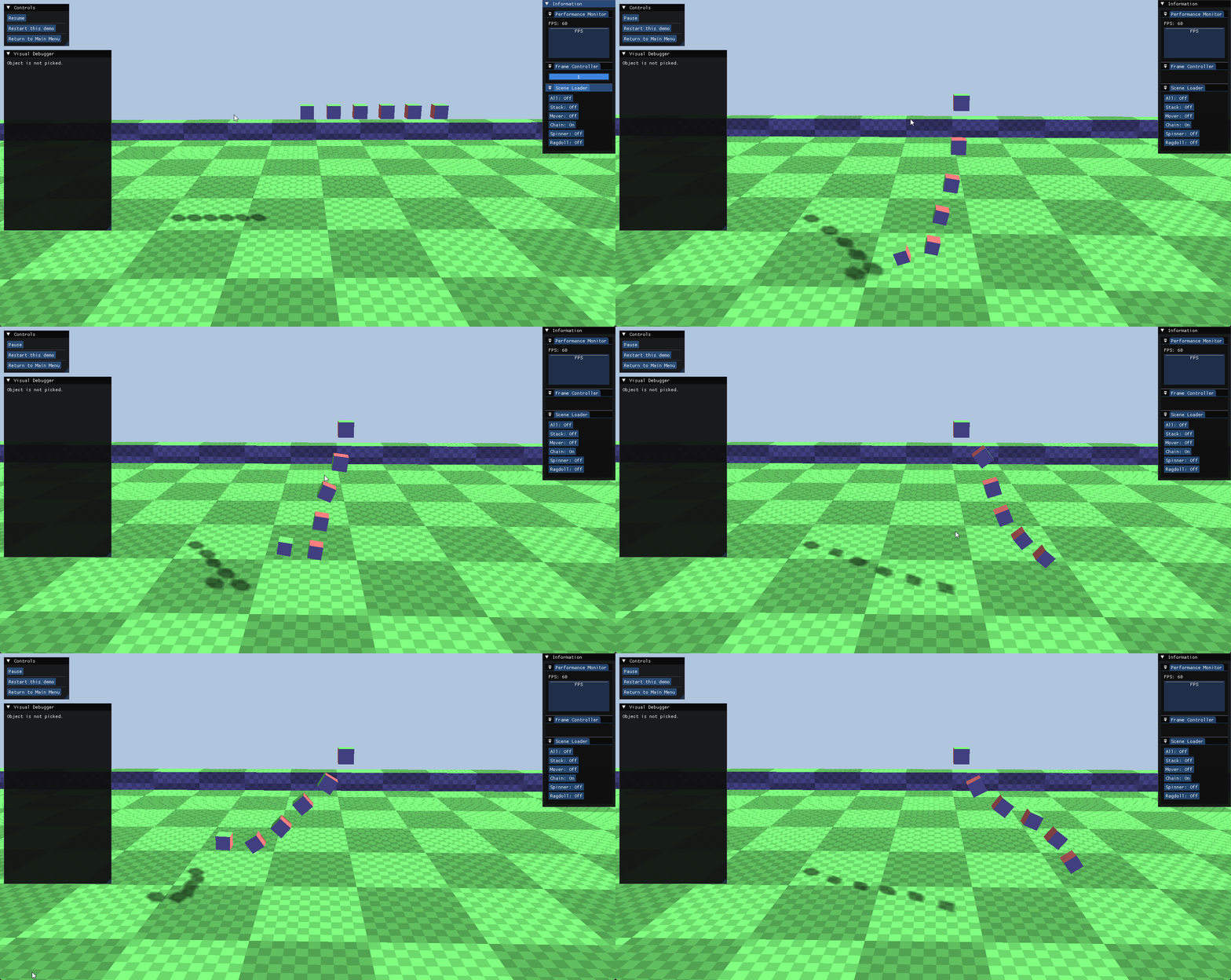
Chain
- It tests Distance Constraints and error correction.
- This scenario verifies that links remain connected without stretching under gravity and tension.
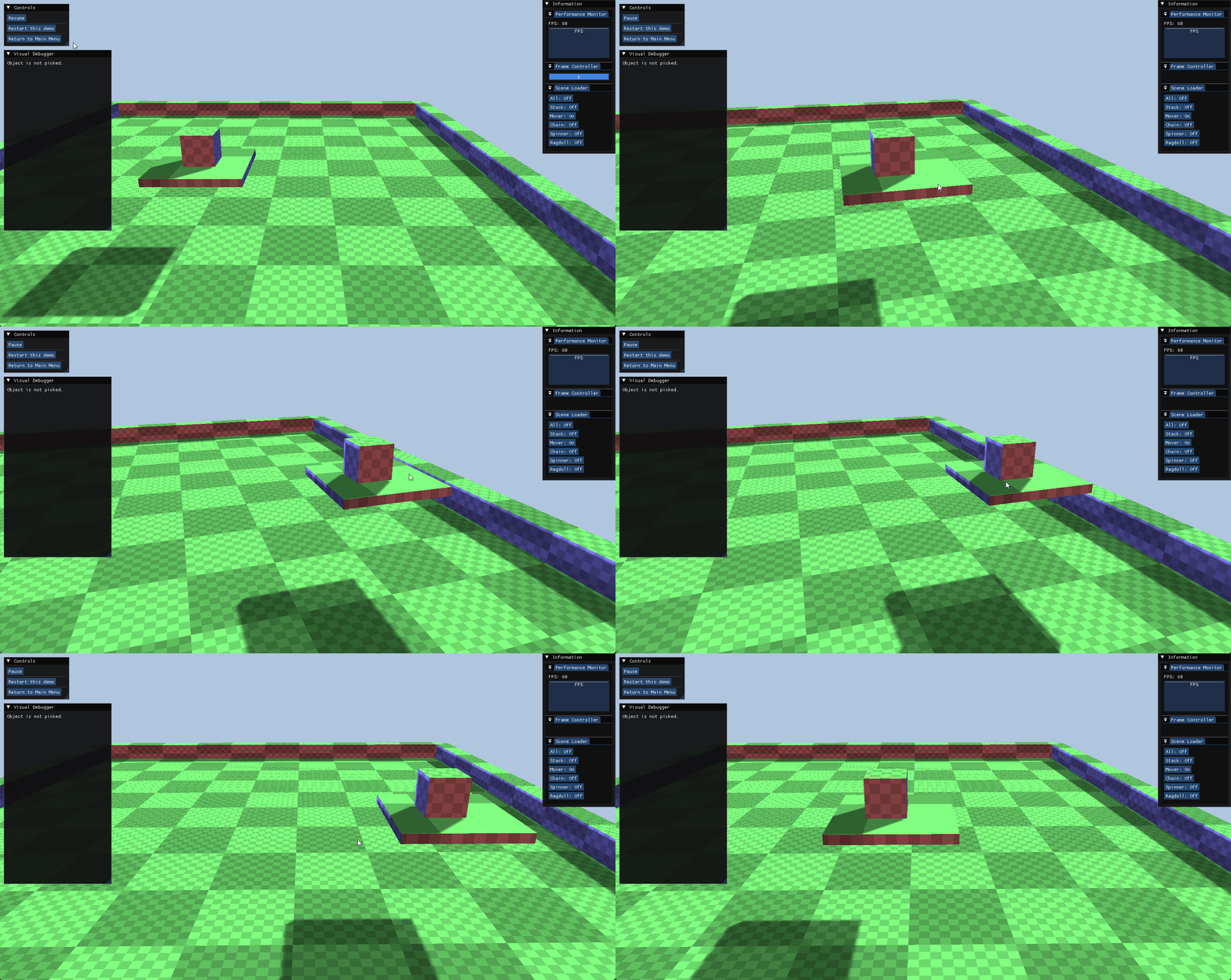
Moving Platform
- This validates the interaction between Kinematic bodies (infinite mass) and Dynamic bodies.
- It tests friction application and relative velocity handling on moving surfaces.
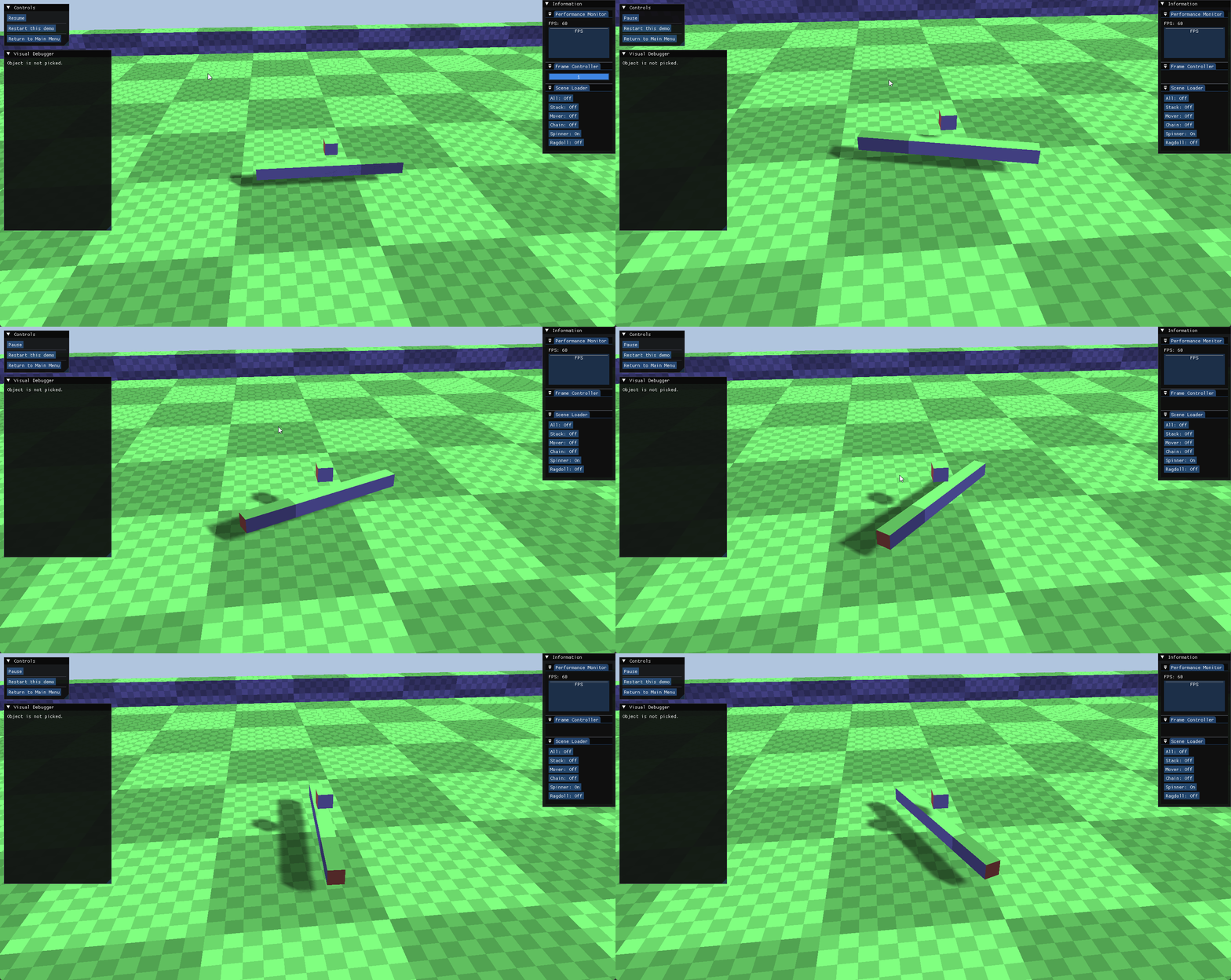
Rotator
- It demonstrates Angular Velocity integration and collision response.
- This scenario tests how dynamic objects react to high-speed impacts from rotating kinematic obstacles.
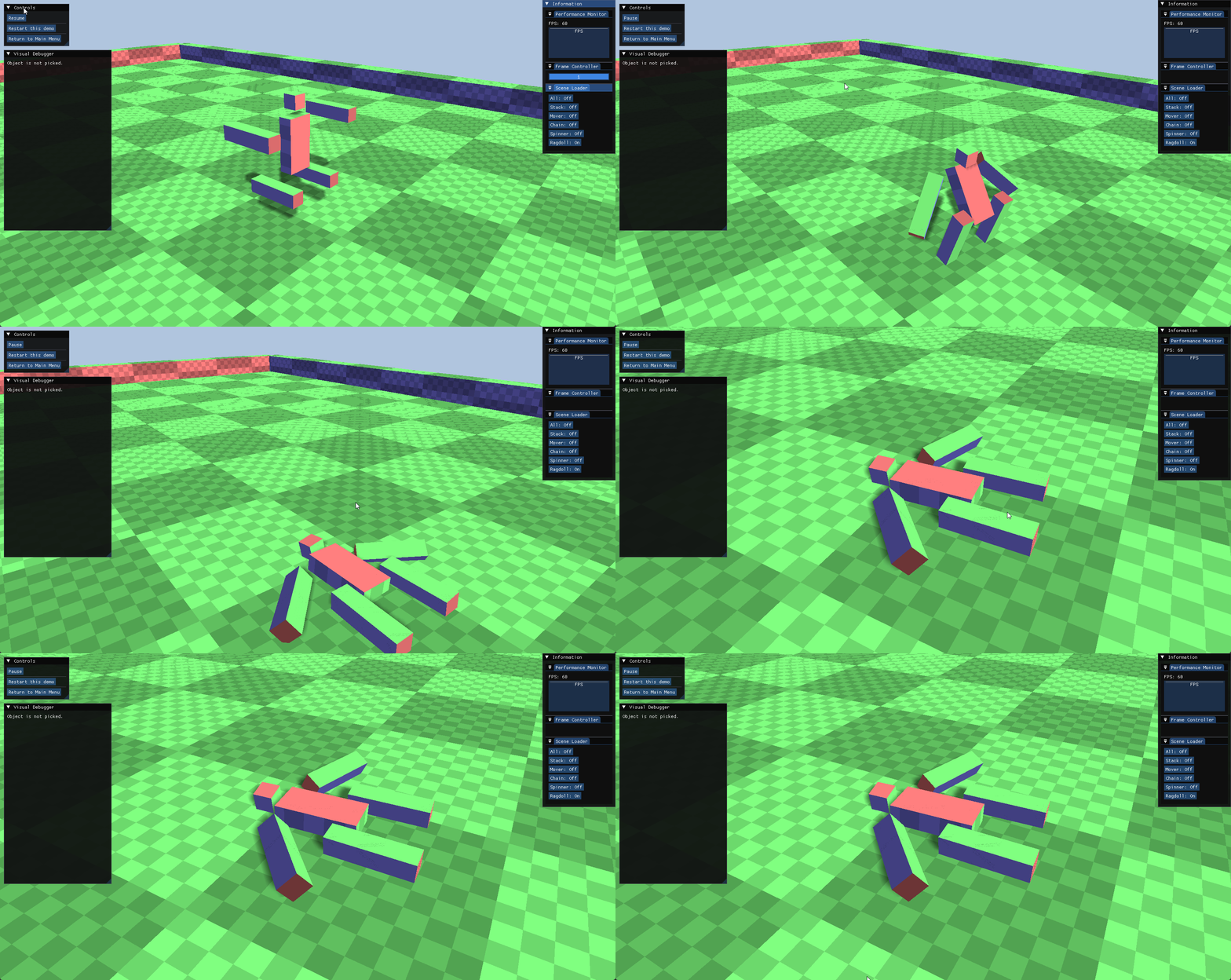
Ragdoll
- This is a complex Articulated System test.
- It verifies hierarchical transformations and the stability of multiple constraints (joints and limits) working in unison.
8. Future Development
- To further enhance the engine’s capabilities and performance, the following improvements are planned:
Optimize Narrowphase
- Implement temporal coherence or more advanced caching for GJK to reduce computational overhead in persistent contacts.
Add More Cases in Sandbox
- Introduce complex compound shapes and additional constraint types (e.g., ball-and-socket, slider).
Add More Shapes in Stress Test
- Expand the test suite to include capsules and cylinders to validate a wider range of collision primitives.
Leave a comment